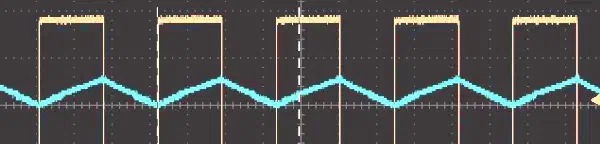
This article explains what a PWM signal is, and how to generate PWM signal using the ledc peripheral on Espressif devices. It covers the LEDC timer and channel configuration, and shows how to convert a PWM signal into a clean DC value using an RC filter, including the tradeoffs between ripple and response speed.
This article shows how to create a simple environmental logger using the DHT20 sensor and store the data on a little_fs filesystem on the module’s flash memory.
This article explains what Wi-Fi provisioning is, introduces the network_provisioning component, and walks through a complete SoftAP-based provisioning example using the ESP SoftAP Prov app.
In this article, we will set up ESP-WHO on the ESP32-S3-EYE board, running a face recognition example, and extending it with custom detection callbacks.
In this article, we explore how to configure GPIO pins as inputs in ESP-IDF and discuss the importance of pull-up/pull-down resistors. We will try two approaches for reading GPIO values: polling and event-driven interrupts, showing how to implement each method effectively.
This article explains how to configure and control GPIO pins on Espressif SoCs, covering push-pull and open-drain output modes, drive capability, and library usage. It then provides a hands-on example of blinking an LED using gpio_set_direction and gpio_set_level on a ESP32-C61-DevKitC.
This article shows how to port an external library into an ESP-IDF project by converting it into a reusable component. Using tinyexpr as an example, it covers obtaining the source code, creating a new project, building a component, configuring the build system, and testing on hardware.
This article explains how ESP-IDF brings object-oriented programming principles into C by using structs, opaque pointers, and handles to enforce encapsulation and modularity. It shows how components like HTTP servers and I²C buses are managed through handles that represent distinct objects for configuration and operation, and compares this approach to Python and C++.
This article shows how ESP-IDF’s logging system uses tags and verbosity levels to produce structured, configurable output, helping you keep code clean and debug more effectively.
This article explains error handling in FreeRTOS-based embedded systems, highlighting common C practices and their limitations. It introduces ESP-IDF’s esp_err_t type and error-checking macros, demonstrating how they help manage errors systematically. It shows practical ways to implement error handling in embedded applications.
This article shows how to create a simple HTTP server. It explains the functions you need and the setup required. After reading this, you should be able to create your own HTTP server on Espressif devices.
This two-part guide shows how to set up VS Code with the ESP-IDF extension to debug Espressif boards using JTAG. In this second part, we will debug a simple project using gdb through Espressif’s VSCode extension. We will explore the debugging options for navigating the code and inspecting the variables.
This two-part guide shows how to set up VS Code with the ESP-IDF extension to debug Espressif boards using JTAG. This first part covers the debugging process, hardware setup and connections, and starting the openOCD server.
This tutorial guides you through setting up a soft-AP using an Espressif module and ESP-IDF. It covers the process of creating a project, configuring Wi-Fi, and handling connection events through event loops. Upon completion, you’ll be able to establish a soft-AP and manage Wi-Fi connections. It is the first step to building more advanced networking applications.