

Introduction#
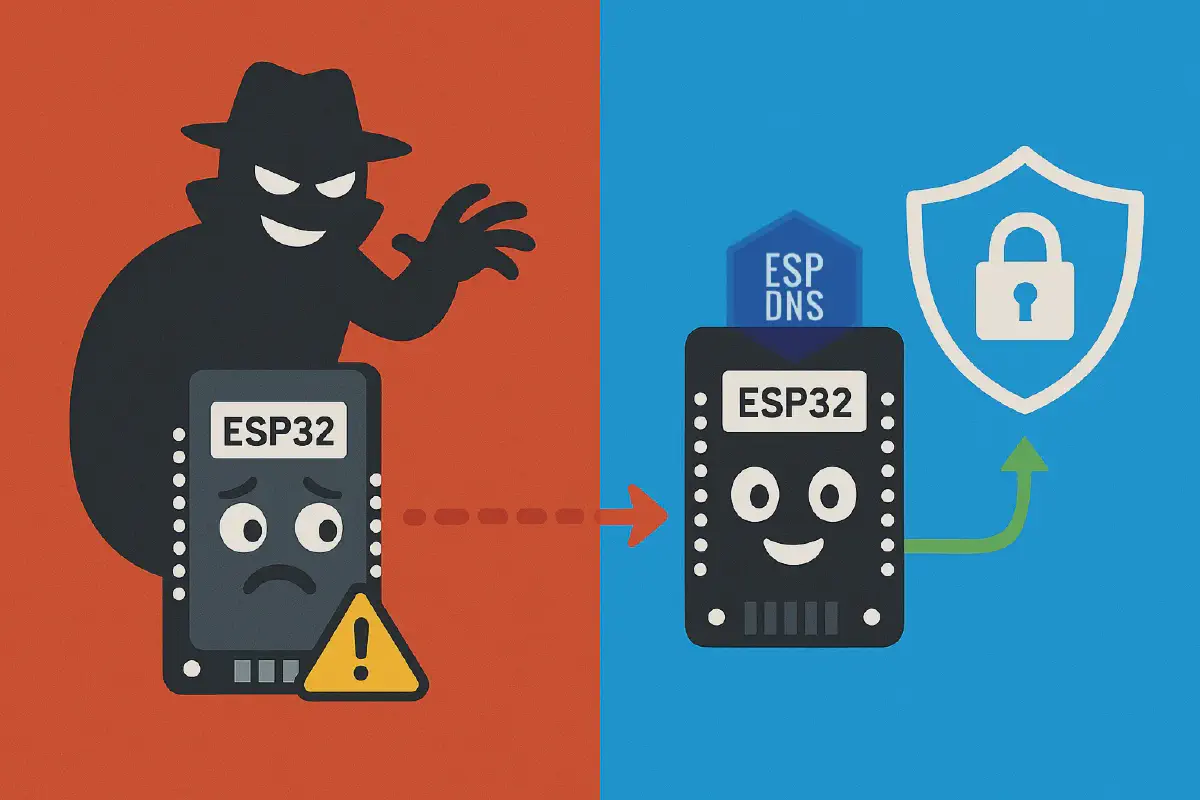
Your ESP32 device just queried DNS. Did anyone see it?
Every ESP32 device that connects to the internet relies on DNS to resolve domain names. But traditional DNS operates in plaintext—meaning anyone on your network can see which domains your device queries. If they wish, they can can intercept those queries and redirect them, or inject malicious responses.
The ESP DNS component solves this by bringing DNS security to ESP32 devices. With support for DNS over TLS (DoT) and DNS over HTTPS (DoH), you can protect your applications with just a few lines of code—no complex infrastructure or protocol changes required. See the component documentation for detailed API reference and configuration options.
In this guide, you’ll learn:
- Why DNS Security Matters for IoT devices
- How ESP DNS component makes implementation simple
- DNSSEC vs. Transport Security: The Practical Choice
- Step-by-step code examples to get started
Why DNS Security Matters for IoT devices#
DNS translates domain names like api.example.com into IP addresses. When your ESP32 device needs to connect to a server, it queries a DNS server to get the IP address.
The Vulnerabilities#
No Encryption: Anyone on the network can see which domains your device is querying, revealing what services it uses and how it behaves.
No Authentication: There’s no way to verify that a DNS response actually came from a legitimate server. Attackers can inject fake responses.
No Integrity Protection: DNS responses can be modified in transit without detection, redirecting your device to malicious servers.
Real-World Attack Scenarios#
| Attack Type | Impact | Example |
|---|---|---|
| DNS Spoofing | Credential theft, malware injection | Public Wi-Fi redirects to fake login pages |
| Man-in-the-Middle | Firmware compromise, data interception | Compromised router redirects updates |
| Privacy Violations | Behavior profiling, data selling | ISP monitors DNS queries for analytics |
| DNS Hijacking | Mass surveillance, service disruption | Compromised DNS server redirects all queries |
For IoT devices, these attacks can mean complete compromise: attackers could redirect firmware updates, intercept sensor data, or gain control of entire systems.
How ESP DNS component makes implementation simple#
Key Benefits:
- ✅ Multi-protocol support (UDP, TCP, DoT, DoH)
- ✅ Minimal code changes—just initialize the component
- ✅ Flexible certificate management
- ✅ Production-ready security
The ESP DNS component brings secure DNS resolution to ESP32 devices with minimal effort. Here’s what makes it powerful:
Multi-Protocol Support#
Choose the right protocol for your needs:
- UDP DNS: Traditional unencrypted DNS for compatibility
- TCP DNS: Reliable DNS over TCP for larger responses
- DNS over TLS (DoT): Encrypted DNS using TLS on port 853
- DNS over HTTPS (DoH): Encrypted DNS using HTTPS on port 443
Seamless Integration#
Transparent Operation: Once initialized, the component automatically intercepts DNS resolution requests and routes them through your configured secure protocol. No changes to your application code are required.
Standard Interface: Your existing code continues to work unchanged. Applications use the standard getaddrinfo() function—the component handles secure DNS resolution behind the scenes.
Security Features#
TLS Encryption: Both DoT and DoH use TLS encryption to protect DNS queries and responses, preventing eavesdropping and tampering.
Certificate Validation: Flexible certificate management supports:
- Certificate Bundle: Use ESP-IDF’s certificate bundle for popular DNS providers (Google, Cloudflare, Quad9)
- Custom PEM Certificates: Provide your own certificates for private or enterprise DNS servers
MITM Protection: TLS certificate validation ensures queries go to legitimate DNS servers, preventing man-in-the-middle attacks.
Query Privacy: Encrypted queries prevent network observers from seeing which domains are resolved, protecting user privacy and preventing DNS-based tracking.
Why It’s Developer-Friendly#
Minimal Code Changes: Your existing getaddrinfo() calls work without modification, whether from your application code or any other library. Just initialize the component and you’re done.
Easy Configuration: Simple configuration structure with sensible defaults. Choose your protocol, DNS server, and certificate method.
Flexible Deployment: Use public DoT/DoH servers or deploy your own. Easy to switch between providers or protocols.
How It Works#
lwIP Hook Integration: The component integrates transparently with ESP-IDF’s networking stack through lwIP hooks. Once initialized, it automatically intercepts DNS resolution requests and routes them through your configured secure protocol. This integration happens at the network stack level, ensuring all DNS queries from your application are automatically secured without requiring changes to individual DNS resolution calls.
DNSSEC vs. Transport Security: The Practical Choice#
DNSSEC (DNS Security Extensions) provides cryptographic authentication for DNS responses, but it’s complex to implement:
- Requires complex key management across DNS infrastructure
- Needs significant computational resources for validation
- Doesn’t encrypt queries—privacy remains unprotected
- Limited support in embedded systems
Transport-layer security protocols like DNS over TLS (DoT) and DNS over HTTPS (DoH) offer a more practical solution:
- DoT (RFC 7858): Wraps DNS queries in TLS-encrypted connections on port 853
- DoH (RFC 8484): Sends DNS queries as HTTPS POST requests on port 443
Why DNSSEC Support is Limited on ESP32#
DNSSEC validation faces significant challenges on ESP32 due to resource constraints:
Memory: ESP32 variants have limited SRAM (320-520KB depending on the model) that must be shared across application, networking, and cryptographic operations. DNSSEC requires caching additional records (RRSIG, DNSKEY), increasing memory usage by ~10%. In contrast, DoT/DoH typically require storing only a resolver certificate chain, which is already supported and optimized in existing TLS stacks.
CPU: Signature verification is computationally intensive. ESP32 variants use different CPU architectures (Xtensa LX6/LX7 or RISC-V) with clock speeds ranging from 160-240MHz. Multiple signature verifications per response significantly increase CPU load and power consumption—critical for battery-powered devices. While DoT/DoH also verify certificate signatures (RSA/ECDSA), this occurs only during TLS session establishment and can be amortized across many DNS queries. DNSSEC requires repeated signature validation for every DNS response.
lwIP Limitations: ESP32’s lwIP DNS client prioritizes simplicity and minimal resources. It doesn’t support DNSSEC validation, complex query types, or advanced DNS features.
Zone Size: DNSSEC-signed zones can be up to 5x larger than unsigned zones, requiring more memory for caching and processing.
Practical Solution: Use DoT/DoH with trusted DNS resolvers (Google, Cloudflare, Quad9) that perform DNSSEC validation on your behalf. This offloads the computational burden while providing both transport-layer encryption and DNSSEC protection.
DNSSEC vs. DoT/DoH: Quick Comparison#
| Feature | DNSSEC | DoT/DoH |
|---|---|---|
| Encryption | ❌ No | ✅ Yes |
| Authentication | ✅ Yes | ✅ Yes |
| Privacy Protection | ❌ No | ✅ Yes |
| Implementation Complexity | 🔴 High | 🟢 Low |
| ESP32 Support | 🔴 Limited | 🟢 Full |
| Infrastructure Requirements | 🔴 Complex | 🟢 Simple |
For ESP32 developers, DoT/DoH are the practical choice: Strong security with manageable complexity, leveraging infrastructure already available in ESP-IDF.
Step-by-step code examples to get started#
Getting started with ESP DNS is straightforward, requiring minimal code changes to existing applications.
Quick Start Guide#
1. Add ESP DNS Component to Your Project
The ESP DNS component is available in the ESP Component Registry.
Add it using the Component Manager:
idf.py add-dependency "espressif/esp_dns^0.1.0"
Or manually add to main/idf_component.yml:
dependencies:
  espressif/esp_dns: "^0.1.0"
Then run idf.py reconfigure to download the component.
2. Enable Custom DNS Resolution
Enable the lwIP hook in your sdkconfig or sdkconfig.defaults:
CONFIG_LWIP_HOOK_NETCONN_EXT_RESOLVE_CUSTOM=y
Or configure through menuconfig:
- Navigate to
Component config → lwIP → Hooks → Netconn external resolve Hook - Select
Custom implementation
3. Initialize DNS Component
Choose your protocol and initialize:
#include "esp_dns.h"

// Configure DNS over HTTPS
esp_dns_config_t dns_config = {
    .dns_server = "dns.google",                    // DNS server hostname
    .port = ESP_DNS_DEFAULT_DOH_PORT,              // Port 443 for HTTPS
    .timeout_ms = ESP_DNS_DEFAULT_TIMEOUT_MS,      // 10 second timeout
    .tls_config = {
        .crt_bundle_attach = esp_crt_bundle_attach, // Use certificate bundle
    },
    .protocol_config.doh_config = {
        .url_path = "/dns-query",                   // DoH endpoint path
    }
};

// Initialize DoH
esp_dns_handle_t dns_handle = esp_dns_init_doh(&dns_config);
if (dns_handle == NULL) {
    ESP_LOGE(TAG, "Failed to initialize DNS");
    return;
}
4. Use Standard DNS Functions
Your existing code continues to work unchanged:
struct addrinfo hints = {
    .ai_family = AF_UNSPEC,
    .ai_socktype = SOCK_STREAM,
};
struct addrinfo *res;
int err = getaddrinfo("www.example.com", "80", &hints, &res);
if (err != 0) {
    ESP_LOGE(TAG, "DNS lookup failed: %s", gai_strerror(err));
    return;
}
// Use resolved addresses...
freeaddrinfo(res);
5. Cleanup
When done, clean up resources:
int ret = esp_dns_cleanup_doh(dns_handle);
if (ret != 0) {
    ESP_LOGE(TAG, "Failed to cleanup DNS");
}
Complete Working Example#
Here’s a complete example showing initialization, usage, and cleanup:
#include "esp_dns.h"
#include "esp_log.h"

static const char *TAG = "dns_example";

void app_main(void) {
    // Configure DNS over HTTPS
    esp_dns_config_t dns_config = {
        .dns_server = "dns.google",
        .port = ESP_DNS_DEFAULT_DOH_PORT,
        .timeout_ms = ESP_DNS_DEFAULT_TIMEOUT_MS,
        .tls_config = {
            .crt_bundle_attach = esp_crt_bundle_attach,
        },
        .protocol_config.doh_config = {
            .url_path = "/dns-query",
        }
    };

    // Initialize DoH
    esp_dns_handle_t dns_handle = esp_dns_init_doh(&dns_config);
    if (dns_handle == NULL) {
        ESP_LOGE(TAG, "Failed to initialize DNS");
        return;
    }
    ESP_LOGI(TAG, "DNS initialized successfully");

    // Use DNS resolution
    struct addrinfo hints = {
        .ai_family = AF_UNSPEC,
        .ai_socktype = SOCK_STREAM,
    };
    struct addrinfo *res;

    int err = getaddrinfo("www.example.com", "80", &hints, &res);
    if (err != 0) {
        ESP_LOGE(TAG, "DNS lookup failed: %s", gai_strerror(err));
    } else {
        ESP_LOGI(TAG, "DNS resolution successful");
        // Use resolved addresses...
        freeaddrinfo(res);
    }

    // Cleanup
    esp_dns_cleanup_doh(dns_handle);
}
Configuration Examples#
DNS over TLS (DoT)
esp_dns_config_t dns_config = {
    .dns_server = "1dot1dot1dot1.cloudflare-dns.com",  // Use hostname for certificate validation
    .port = ESP_DNS_DEFAULT_DOT_PORT,                  // Port 853 for TLS
    .timeout_ms = 5000,                                 // 5 second timeout
    .tls_config = {
        .crt_bundle_attach = esp_crt_bundle_attach,
    }
};

esp_dns_handle_t dns_handle = esp_dns_init_dot(&dns_config);
Custom Certificate for Private Server
const char *custom_cert_pem =
    "-----BEGIN CERTIFICATE-----\n"
    "MIIF...\n"  // Your certificate here
    "-----END CERTIFICATE-----\n";

esp_dns_config_t dns_config = {
    .dns_server = "dns.internal.company.com",
    .port = ESP_DNS_DEFAULT_DOT_PORT,
    .timeout_ms = ESP_DNS_DEFAULT_TIMEOUT_MS,
    .tls_config = {
        .cert_pem = custom_cert_pem,              // Custom certificate
    }
};

esp_dns_handle_t dns_handle = esp_dns_init_dot(&dns_config);
TCP DNS (Unencrypted)
esp_dns_config_t dns_config = {
    .dns_server = "8.8.8.8",                      // Google DNS
    .port = ESP_DNS_DEFAULT_TCP_PORT,              // Port 53
    .timeout_ms = ESP_DNS_DEFAULT_TIMEOUT_MS,
};

esp_dns_handle_t dns_handle = esp_dns_init_tcp(&dns_config);
Certificate Setup Options#
Using Certificate Bundle (Recommended for Public Servers)
The certificate bundle approach is simplest for public DNS servers:
- No certificate management required
- Automatically validates popular DNS providers
- Handles certificate updates automatically
.tls_config = {
    .crt_bundle_attach = esp_crt_bundle_attach,
}
Using Custom PEM Certificate
For private or enterprise DNS servers:
- Provide certificate as PEM-formatted string
- Certificate must match the DNS server’s certificate
- Note: Only PEM format is supported; DER format is not supported
.tls_config = {
    .cert_pem = server_root_cert_pem_start,  // PEM certificate string
}
Important: If both crt_bundle_attach and cert_pem are provided, crt_bundle_attach takes precedence.
Choosing the Right Protocol#
| Protocol | Use When | Trade-offs |
|---|---|---|
| UDP DNS | Maximum compatibility, no security needed | Fastest, but vulnerable |
| TCP DNS | Larger responses, reliability needed | Slightly slower, still vulnerable |
| DoT | Security + performance balance | Moderate latency, good security, may be blocked by some firewalls |
| DoH | Maximum security, firewall-friendly | Highest latency, best security |
Performance Considerations#
Memory Usage
- UDP DNS: Minimal memory impact (~96 bytes)
- TCP DNS: Moderate memory impact (~13 KB)
- DoT DNS: TLS operations temporarily use ~60 KB during handshakes, then recover
- DoH DNS: Similar to DoT, temporarily uses ~63 KB during HTTPS handshakes
- Memory cleanup: Proper cleanup observed; final memory usage remains close to initial
- Consider available RAM when choosing protocol, especially for TLS-based protocols
Latency
- UDP DNS: Fastest, but least secure
- TCP DNS: Slightly slower due to connection establishment
- DoT: Moderate latency due to TLS handshake
- DoH: Typically highest latency due to HTTPS overhead, but offers best security
Network Bandwidth
- Encrypted protocols add overhead (TLS/HTTPS headers)
- DoH may have slightly more overhead than DoT
- Consider bandwidth constraints in low-power or metered networks
- DoH is firewall-friendly, since it runs over standard HTTPS (port 443) and typically passes through restrictive networks more easily than DoT.
Troubleshooting#
Common Issues:
DNS initialization fails
- Verify
CONFIG_LWIP_HOOK_NETCONN_EXT_RESOLVE_CUSTOM=yis set - Check certificate bundle is enabled:
CONFIG_MBEDTLS_CERTIFICATE_BUNDLE=y - Ensure network is connected before initializing DNS
- Verify
DNS resolution timeout
- Increase
timeout_msvalue - Check network connectivity
- Verify DNS server hostname is resolvable
- Increase
Certificate validation fails
- For custom certificates, ensure the PEM format is correct
- Verify the certificate matches the DNS server
- Check certificate expiration date
Conclusion#
DNS security is essential for protecting IoT applications, but implementing it doesn’t have to be complex. The ESP DNS component provides DNS security with minimal code changes, supporting multiple protocols and flexible certificate management.
Next Steps:
- Enable
CONFIG_LWIP_HOOK_NETCONN_EXT_RESOLVE_CUSTOM=yin your project - Initialize ESP DNS component with your preferred protocol
- Test DNS resolution with your existing
getaddrinfo()calls - Monitor performance and adjust timeout/configuration as needed
Whether you’re building smart home devices, industrial IoT systems, or medical devices, securing DNS resolution should be part of your security strategy. The ESP DNS component makes this achievable with just a few lines of code, protecting your devices from DNS-based attacks while maintaining simplicity and performance.
Ready to secure your ESP32 applications? Get started today with the ESP DNS component.