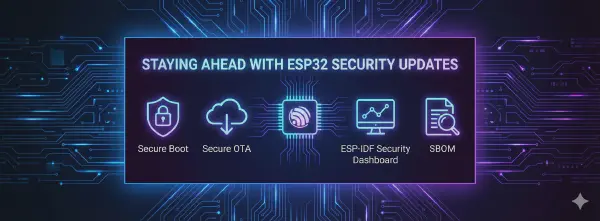


The RED Delegated Act is now in effect. If you’re selling wireless products in the EU market, you must demonstrate EN 18031 compliance — and the clock is ticking. Starting August 2025, all new products placed on the EU market need to meet these cybersecurity requirements. The RED DA will remain applicable until the Cyber Resilience Act (CRA) takes over in December 2027, after which the CRA will set the new baseline for cybersecurity compliance across the EU.
The compliance process typically involves weeks of manual documentation — mapping security features to standards, writing risk assessments, and preparing declarations of conformity. The RED DA Assessment Tool reduces this to a single guided session. Upload your ESP-IDF project files, answer a questionnaire (mostly pre-filled from your configuration), and download a complete, submission-ready compliance package.
Try it now at red-da-assessment-tool.security.espressif.com
What does the tool do?#
The RED DA Assessment Tool is a web application that automates the self-assessment process for RED Delegated Act (EN 18031) compliance. It directly supports the Self-Declaration Using Espressif Templates pathway described in our RED DA compliance guide.
Here’s what it handles for you:
- Reads your ESP-IDF configuration and automatically maps security features to EN 18031 requirements
- Pre-fills the security questionnaire based on your
sdkconfig.json— no need to manually look up what’s enabled - Scans your SBOM for known vulnerabilities and structures the risk assessment
- Generates a complete compliance package — product risk assessment, EN 18031 mapping, technical specs, and a Declaration of Conformity template
No installation required — just open your browser, sign in, and start your assessment.
Before You Start: What You’ll Need#
Gather these files from your ESP-IDF project:
Required Files#
sdkconfig.json- Your project’s configuration fileproject_sbom_report.json- Software Bill of Materials reportproduct_info.json- Product information template (optional - you can upload this file or fill the form manually)
Optional Files (Enhance Your Report)#
- Product images - Photos of your device, packaging, labels
- PCB schematics - Circuit diagrams and layout files
How to Generate Required Files#
If you don’t have these files yet, here’s how to create them:
Generate sdkconfig.json#
# 1. Go to your project directory
cd your_esp_idf_project

# 2. Configure your project as per your requirements
idf.py menuconfig

# 3. Build your project (this generates sdkconfig.json)
idf.py build

# 4. The sdkconfig.json file will be available at:
# project_name/build/config/sdkconfig.json
Generate project_sbom_report.json#
Follow these steps in your project directory:
# 1. First go to your project directory
cd your_esp_idf_project

# 2. Build your project
idf.py build

# 3. Install the SBOM tool
pip install esp-idf-sbom

# 4. Create the SBOM file
esp-idf-sbom create -o project_sbom.spdx build/project_description.json

# 5. Generate the JSON report
esp-idf-sbom check project_sbom.spdx --format json >> project_sbom_report.json
Need a reference? You can download an example project_sbom_report.json file.
Create product_info.json (Optional)#
product_info.json file or fill out the product details form directly in the tool.Click to expand product_info.json template
{
  "manufacturer_name": "Your Company Ltd.",
  "manufacturer_address": "Your full business address",
  "equipment_model": "ESP32-C3-WROOM-02",
  "equipment_description": "2.4 GHz Wi-Fi & Bluetooth LE IoT Module",
  "hardware_version": "V1.0",
  "software_version": "ESP-IDF v5.4.1",
  "radio_equipment_name": "ESP32-C3 Wi-Fi & Bluetooth LE Module",
  "technical_documentation": "Links to datasheets and technical docs",
  "operational_environment": "Indoor IoT applications, smart home devices",
  "operating_conditions": "-40°C to +85°C, 5% to 95% RH",
  "radio_equipment_images": "Description of product photos and layouts",
  "pcb_schematics": "Description of circuit designs and layouts",
  "declaration_place": "Your City, Country",
  "signatory_name": "Your Name",
  "signatory_function": "Your Title"
}
Step-by-step guide#
Step 1: Sign in#
Visit red-da-assessment-tool.security.espressif.com and sign in using your GitHub, Google, or Apple account. This is a one-time step — once signed in, you can access the tool directly on subsequent visits.
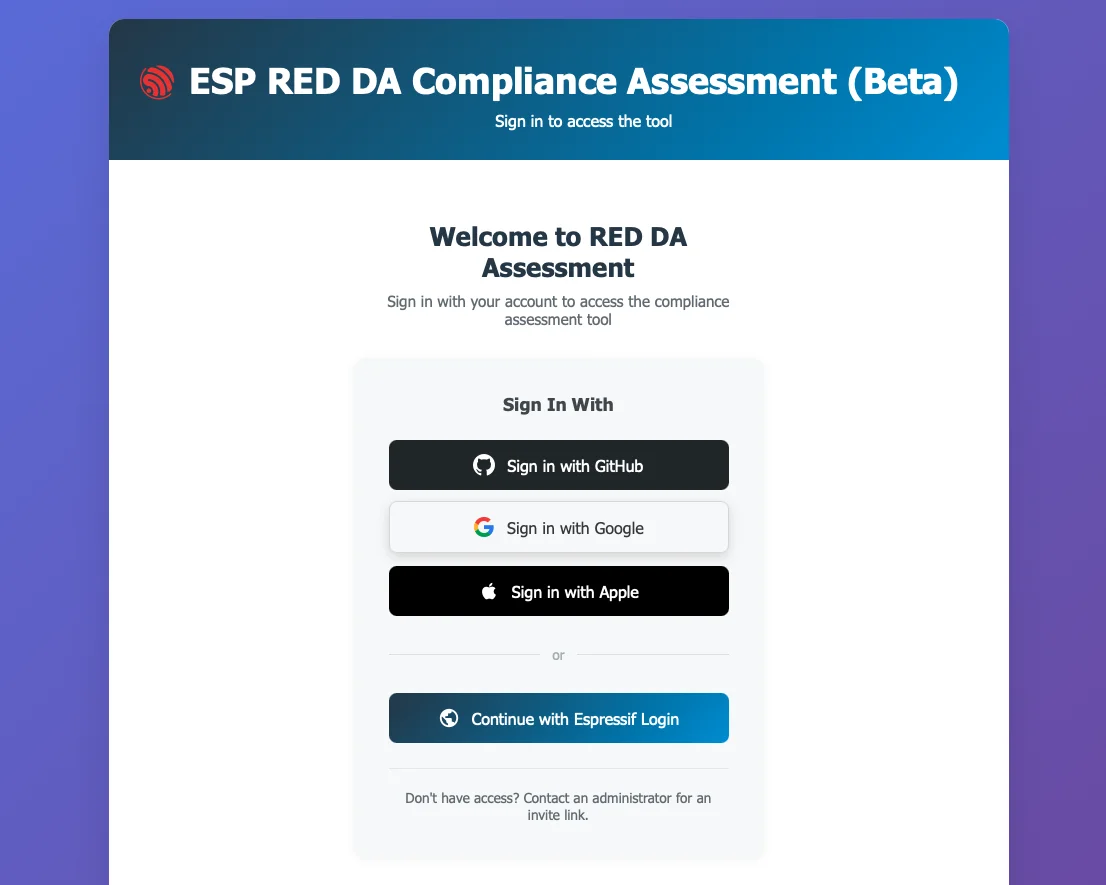
Sign in with your preferred account
Step 2: Choose Your Starting Point#
You have two options:
- Start New Assessment - Begin a fresh assessment
- Import Previous Session - Upload your previous assessment zip package to continue or modify an existing assessment
Using Import Previous Session: If you completed an assessment before, you received a zip package with all your assessment data. Upload this zip file to:
- Jump to any step to update specific information (company details, questionnaire answers, etc.)
- Generate updated reports with new information while keeping your previous work
- Create variations for similar products by modifying existing assessments
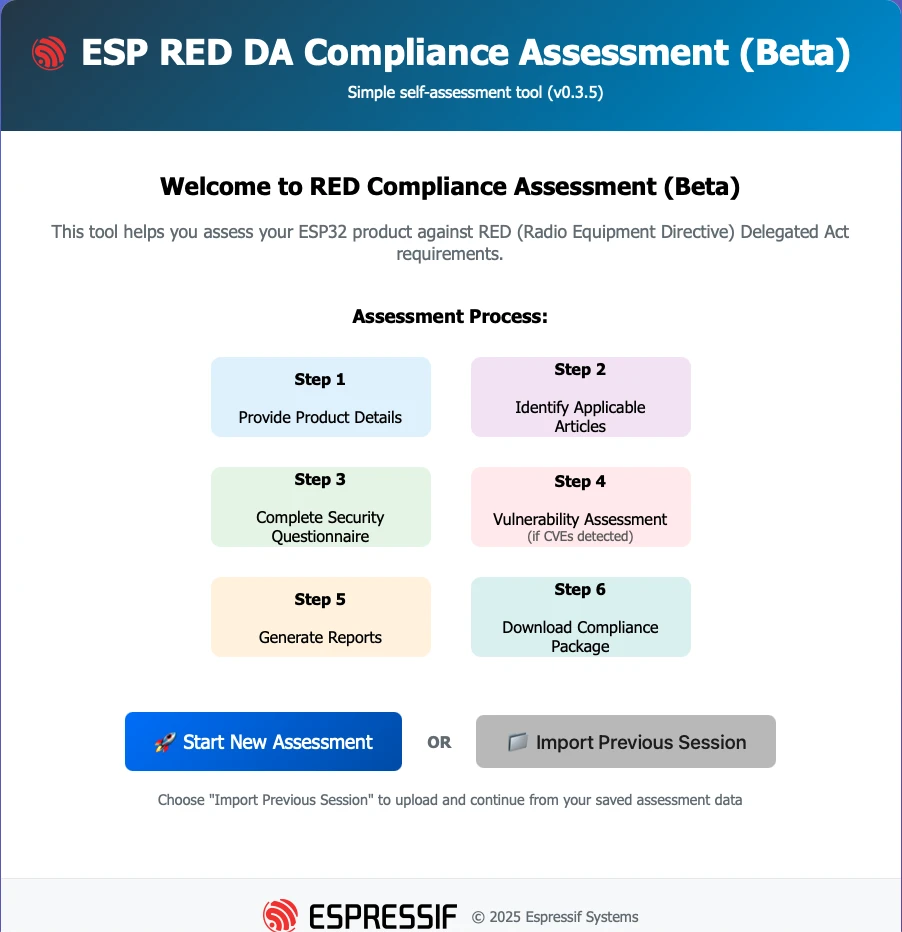
RED DA Assessment Tool Home Page
Step 3: Provide product details#
This step combines your company information and file uploads on a single page.
Fill in company information#
Whether you uploaded a product_info.json file or not, you can review and complete your company details:
- Company name
- Business address
- Contact information
- Authorized representative details
Upload Your Files#
The same page has a drag-and-drop interface for uploading your files:
- Upload
sdkconfig.json- Drag your configuration file to the upload area - Upload
project_sbom_report.json- Add your SBOM report - Upload
product_info.json(optional) - Skip this if you prefer to fill the form manually - Add images (optional) - Upload product photos or PCB images
You can upload files one at a time or all together. The tool will automatically recognize what each file is.

Product Details Animation
Step 4: Select applicable articles#
Before diving into the security questionnaire, you need to identify which EN 18031 articles apply to your specific product. This is done by answering relevant questions about your product features and capabilities.
The tool will ask you about:
- Your product’s connectivity features
- Data handling capabilities
- User interaction methods
- Network communication protocols
- Security-sensitive functionalities
Based on your answers, the tool determines which specific EN 18031 requirements are applicable to your device, ensuring you only address relevant compliance areas.
Step 5: Complete the Security Questionnaire#
The questionnaire is simple and straightforward. It already comes prefilled based on the sdkconfig.json file you uploaded, but you need to validate it carefully and answer all remaining questions.
The tool automatically:
- Pre-fills answers based on your ESP-IDF security configuration
- Shows only questions relevant to your selected applicable articles
- Highlights any questions that need your attention
Step 6: Vulnerability Assessment#
In this section, you need to provide explanations for all known vulnerabilities against your project. This information is obtained from the project_sbom_report.json file that you uploaded.
The tool will:
- Automatically identify vulnerabilities from your SBOM report
- Present each vulnerability with its details (CVE ID, severity, affected components)
- Require you to provide explanations for how each vulnerability is addressed or mitigated
- Allow you to document your risk assessment and mitigation strategies
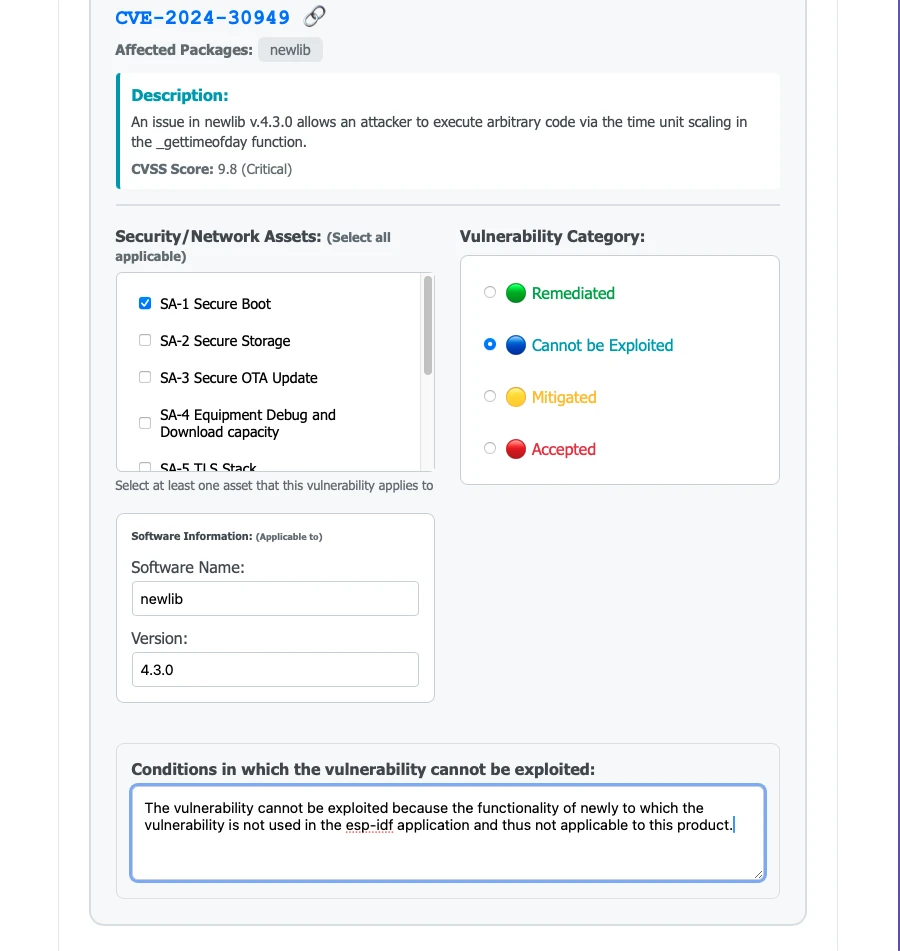
Vulnerability Assessment
Step 7: Review and Download Your Compliance Package#
After completing the vulnerability assessment, the tool generates your complete self-assessment documentation package. You can review it, go back to any previous step to make changes, regenerate, and download when ready.
Your compliance package downloads as a comprehensive bundle containing:
Main Assessment Report (ESP32-C3_RED-DA_Assessment_2025-11-01.xlsx):
- Product Risk Assessment: Security risk analysis for Article 3.3(d) compliance
- EN 18031 Standards Mapping: Detailed compliance statements for each applicable requirement
- Technical Specifications: Complete device configuration and security features
- Declaration of Conformity Template: Ready for your signature and submission
This package provides everything needed for the self-declaration pathway, as described in our compliance guide.
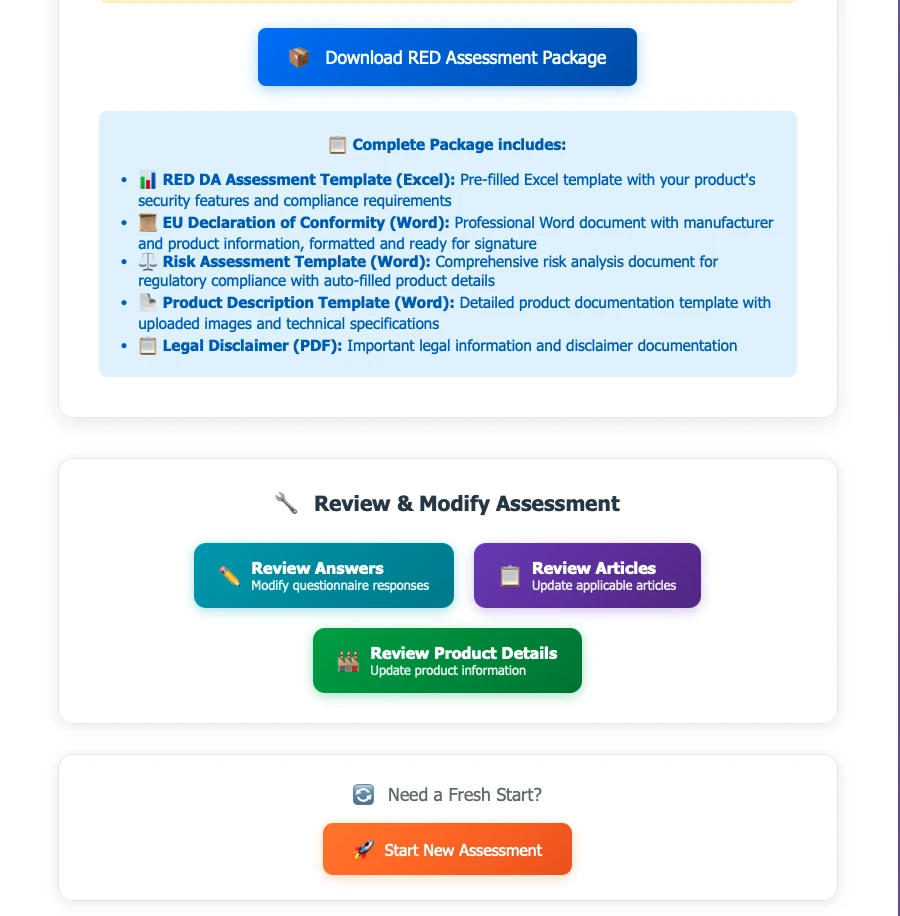
Download Compliance Package
Understanding Your Self-Assessment Documentation#
The generated compliance package aligns with the documentation requirements for RED DA self-assessment:
Product Risk Assessment#
- Identified security risks related to Article 3.3(d) network protection
- Risk mitigation strategies based on your ESP32 configuration
- Compliance mapping to EN 18031-1 requirements
EN 18031 Standards Compliance#
The tool automatically determines which EN 18031 standards apply based on your article selection:
- EN 18031-1:2024 for Article 3.3(d) - Network protection requirements
- EN 18031-2:2024 for Article 3.3(e) - Personal data protection requirements
- EN 18031-3:2024 for Article 3.3(f) - Financial fraud protection requirements
Your compliance package includes:
- Security requirement category mapping (ACM, AUM, SUM, SSM, SCM, etc.)
- Evidence of how your ESP32 configuration meets each requirement
Technical Specifications#
- Complete hardware and software configuration details
- Security features enabled in your ESP-IDF project
- Radio parameters and operational characteristics
Declaration of Conformity Template#
- Pre-filled DoC template ready for your signature
- Compliant with EU regulatory format requirements
- Suitable for self-declaration submission
Common Issues and Solutions#
“Configuration file not recognized”#
- Make sure you’re uploading
sdkconfig.json, notsdkconfig - Verify the file was generated with a recent ESP-IDF version
“Missing required information”#
- Check that your product_info.json has all required fields
- Ensure company information is complete
“SBOM report parsing failed”#
- Your SBOM file might have multiple JSON objects - this is normal
- The tool handles this automatically, but very large files might take time
“Some questions not pre-filled”#
- This is normal for custom configurations
- Review these sections carefully and fill in manually
RED DA and the Cyber Resilience Act (CRA)#
The RED Delegated Act is the current regulatory requirement, but it’s not the end of the road. The Cyber Resilience Act (CRA) — a broader EU regulation covering all products with digital elements — will become applicable in December 2027. Once the CRA takes effect, it will supersede the RED DA for cybersecurity requirements.
What this means for you:
- Now through December 2027: RED DA (EN 18031) compliance is mandatory for wireless products in the EU
- From December 2027: The CRA will set the new cybersecurity baseline, with its own conformity assessment procedures
- Your RED DA documentation is still valuable: The security measures and documentation you prepare now will form a strong foundation for CRA compliance
Starting your compliance journey now with the RED DA Assessment Tool puts you ahead — both for current market access and for the transition to the CRA.
What happens next?#
After generating your self-assessment documentation:
- Review your compliance package - Verify all technical details and risk assessments
- Sign the Declaration of Conformity - Complete the DoC template provided
- Maintain documentation - Keep all records for 10 years as required by regulation
- Apply CE marking - Mark your compliant products for EU market entry
- Monitor for updates - Ensure ongoing compliance with any firmware updates
Get Started#
The RED DA Assessment Tool is available now. Upload your files, generate your compliance package, and get your ESP32 product ready for the EU market.
Start your assessment at red-da-assessment-tool.security.espressif.com
Have questions or feedback? Reach out to us through the Espressif Developer Portal.