
The day Wi-Fi broke my analog readings#
I design PCBs around ESP32 modules. On one project, a sensor on an ADC pin gave clean readings through the whole prototyping phase. Then we made the real PCB, flashed the full firmware, and the readings turned to garbage. We blamed the layout, the solder joints, the sensor. The real cause: that build was the first one to turn on Wi-Fi, and on the classic ESP32 the Wi-Fi driver takes ownership of ADC2, which is where our sensor lived. I had never imagined that Wi-Fi and analog inputs could even be connected.
And ADC2 is not even the most expensive trap. Route a peripheral to a strapping pin and the board can come up in the wrong boot mode, a mistake that typically surfaces after the PCBs are made. The information that catches all of this exists, but it is spread across the datasheet, the technical reference manual, the boot mode documentation, and years of forum threads. A pinout diagram answers the easy half of the question: where the pins are. The hard half is the one that costs money when you get it wrong: which pins can I actually use for this, and with what else running?
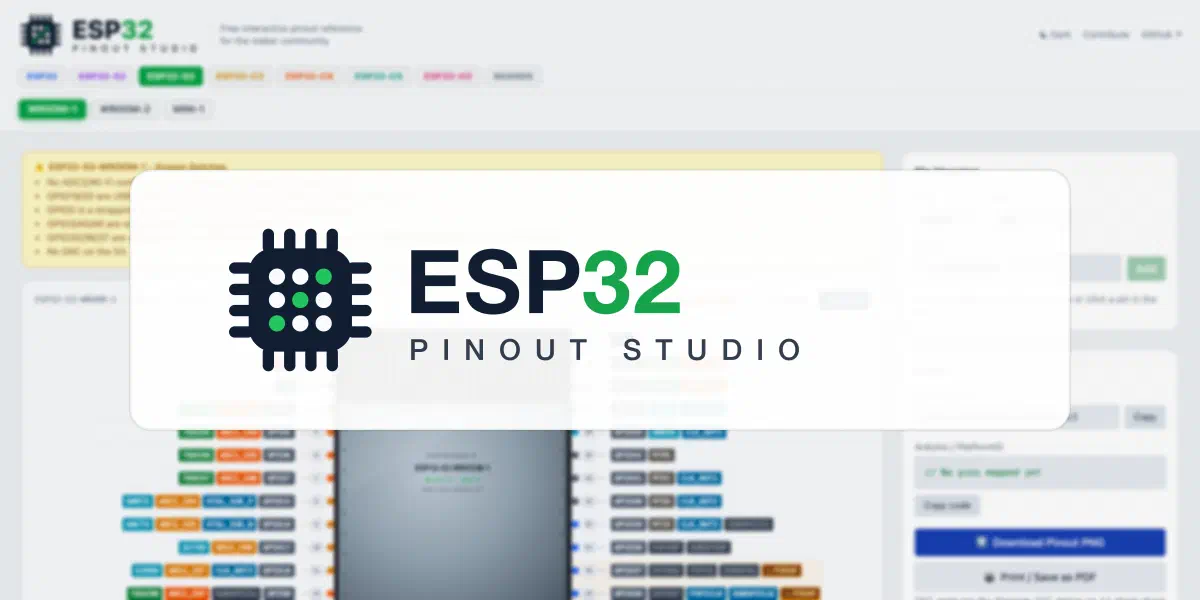
I built esp32pin.com to answer both halves at once. It is a free, open source, interactive pinout reference for the ESP32 family, and every pin carries its constraints with it.
What a pin knows about itself#
Click any pin on the diagram or in the table and you get the full picture:
- Strapping pins show what is sampled at reset and which level you must not disturb. GPIO0, GPIO12 and friends are marked on the diagram itself, so you see the warning before you wire, not after.
- ADC2 pins on the classic ESP32 warn that they stop working the moment Wi-Fi is on, and point you to the ADC1 alternatives.
- Flash pins (GPIO6-11 on ESP32 modules) are marked as never usable, with the reason.
- Input-only pins (GPIO34-39 on the ESP32, GPIO46 on the ESP32-S2) cannot drive your LED, and the site says so.
- USB and JTAG pins warn you before you repurpose them and lose your debug connection.
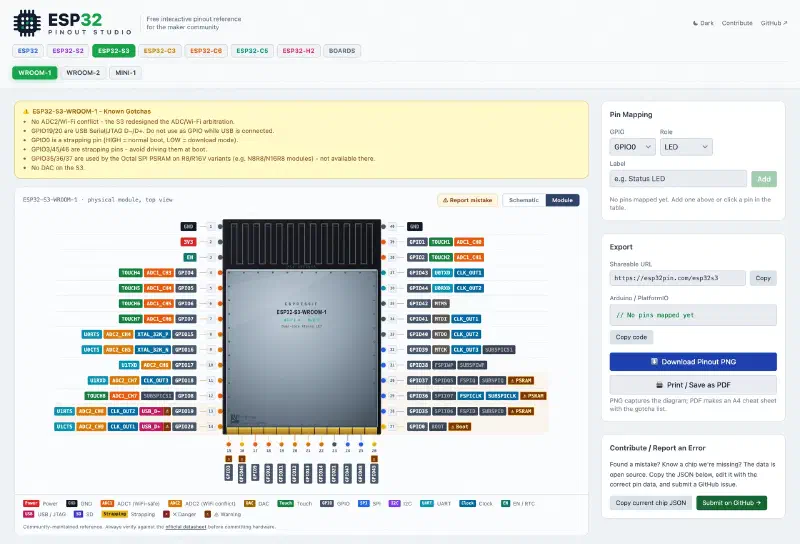
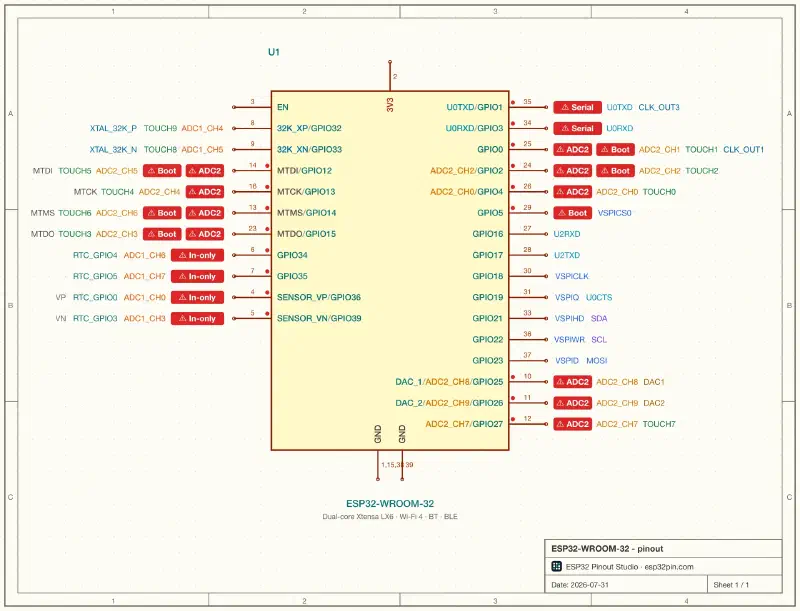
Filters let you answer the practical questions directly: show me pins that are safe for output, safe for ADC while Wi-Fi runs, completely free of constraints. There is also a schematic view built from the official Espressif KiCad symbols, and an export for pin mapping tables.
Where the data comes from#
Pin data is only useful if you can trust it, so the site does not contain a single hand-typed pin table. The entire dataset is generated by scripts from two Espressif sources:
- The official KiCad libraries: pin names, physical pad positions and schematic symbols come straight from the same files Espressif publishes for hardware designers.
- The esp-gpio-tool dataset: per-GPIO alternate functions, RTC domain flags and strapping roles are merged from the YAML data of Espressif’s own GPIO validation tool.
The two sources also check each other. The test suite cross-validates the whole catalog against the esp-gpio-tool data on every build, so the site cannot silently drift from what Espressif publishes. This cross-check even paid off in the other direction: it flagged that the esp-gpio-tool data was missing the input-only flag on ESP32-S2 GPIO46, which the datasheet confirms has no output driver. That fix is now a pull request upstream.
Dev boards without writing code#
Chips are only half the story. Most people hold a dev board, and the board remaps everything: the silkscreen says D7, the code needs GPIO10, and the mapping is different on every board.
For boards, the site shows the silkscreen label first, hides the pins that are not broken out, and inherits all the electrical facts from the base chip automatically. Adding a board requires no KiCad and no code: there is a board builder that runs in the browser. You pick the base chip, click the GPIOs in header order, add the board-specific gotchas, and it produces a small JSON file that becomes a pull request. Every submitted board is checked against the vendor schematic before it is merged, so the reference stays something you can wire from with confidence.
The catalog currently covers the ESP32, ESP32-S, ESP32-C and ESP32-H families, the common Espressif DevKits, and a growing set of community boards from Seeed, Waveshare and others.
Built to be contributed to#
The site is MIT licensed and the whole data pipeline is public, and every kind of user has a way to make it better without a big time investment:
- Spotted something off? Every page has a “Report mistake” button that opens a GitHub issue prefilled with the chip and pin you were looking at. Add a datasheet section or a schematic link and the fix is usually merged within a day.
- Your board is missing? The board builder takes about ten minutes and needs no tooling at all. If you can read the silkscreen, you can add your board.
- Learned a gotcha the hard way? The most valuable warnings on the site started as something that went wrong on real hardware: a boot pin pulled the wrong way, an LED that killed download mode, a sensor on ADC2 that stopped with Wi-Fi. Open an issue and describe what happened; turning it into a per-pin warning is my job.
- You make boards? If your board ships with KiCad files or a schematic PDF, that is exactly the raw material the pipeline consumes. Link them in an issue and the board gets added with data at vendor quality.
- More at home in software? The site itself has just as much room to grow as the data: UI improvements, accessibility, better exports, new views. If something annoys you or you can see a better way to do it, say so or build it.
Try it#
Everything is at esp32pin.com, and the code and data pipeline are on GitHub.
And if you are building something where pin planning happens in configuration files rather than in a browser, keep an eye on Espressif’s esp-gpio-tool: it validates YAML pin assignments against the same kind of constraint data, right in your workflow. The two tools solve neighboring problems, and they now share data.