

Introduction#
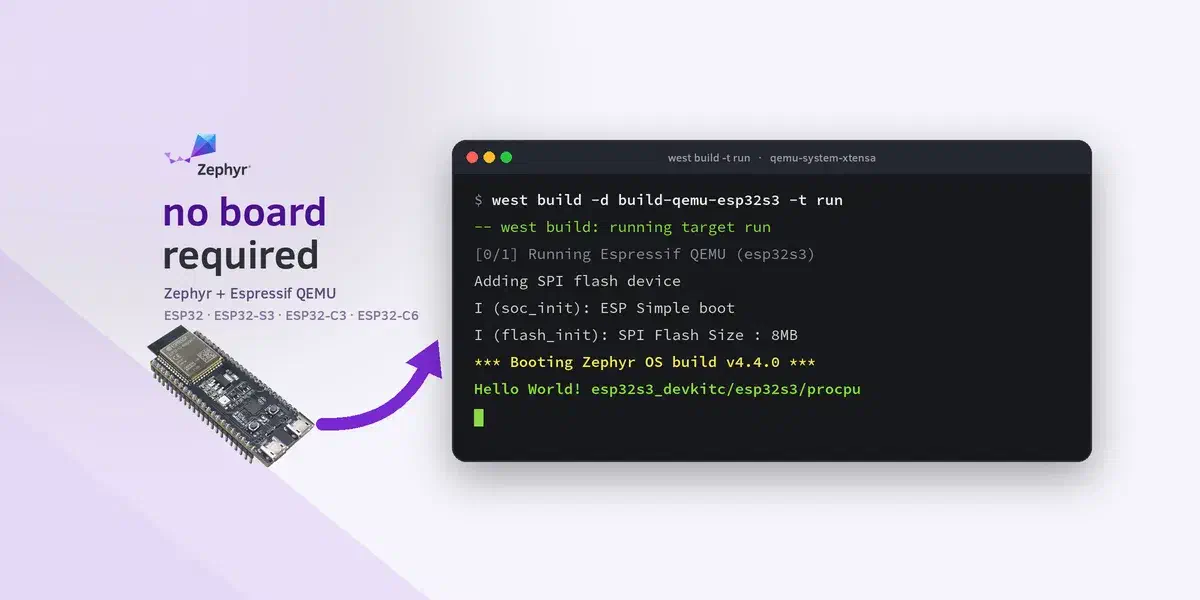
Want to try Zephyr on an Espressif SoC before you have the hardware on your desk? Now you can!
Zephyr can use the Espressif QEMU fork to emulate ESP32, ESP32-S3, ESP32-C3, and ESP32-C6. That lets you build firmware, boot it under emulation, and attach a debugger without flashing a board. The QEMU that ships with the Zephyr SDK (and most Linux distro packages) does not model these chips, so the Espressif QEMU fork is required.
This tutorial installs Espressif QEMU, enables it in a Zephyr build, and walks through samples/hello_world on those four targets with both Simple Boot and MCUboot/sysbuild. The same flow works for other Zephyr samples and tests that only need the emulated core blocks (UART, flash, timers, crypto, and related peripherals). Along the way you will also attach GDB through debugserver and locate the Zephyr SDK toolchain.
If you have used QEMU with ESP-IDF before (for example Trying out ESP32-C3’s security features using QEMU), the emulator side will feel familiar. The Zephyr-side setup is new.
What works on Espressif QEMU today#
Espressif QEMU models enough of each SoC for the usual bring-up path: ROM/bootloader hand-off, SPI flash, UART console, eFuse/revision readout, timers, and several on-chip peripherals. Wireless stacks (Wi-Fi and Bluetooth) and many other peripherals are still out of scope. Treat the Espressif QEMU feature matrix as the source of truth for what is and is not modeled.
In practice, that means hello_world is a starting point, not the limit. On ESP32, ESP32-S3, ESP32-C3, and ESP32-C6, the same /qemu board targets have already been used to run, among others:
samples/hello_worldsamples/drivers/cryptoand the hardware AES/SHA tests undertests/crypto/samples/drivers/watchdog(Timer Group watchdog)tests/boards/espressif/memory_layoutunder both Simple Boot and MCUboot/sysbuildtests/drivers/clock_control/clock_control_api(ESP32 / ESP32-S3 / ESP32-C3)tests/drivers/retained_mem/apitests/boards/espressif/interrupton Xtensa targetssamples/boards/espressif/spiram_testfor QPI/octal PSRAM on ESP32 / ESP32-S3 (QEMU needs a matching memory size)
Things that still need real hardware include Wi-Fi and Bluetooth workloads, and peripherals or reset paths the emulator does not implement yet (for example, triggering the external 32 kHz XT WDT callback). For advanced QEMU options such as GPIO straps, eFuse scripting, PSRAM size (-m), and networking helpers, see the per-SoC pages under esp-toolchain-docs/qemu.
Requirements#
Zephyr workspace#
You need a working Zephyr installation (west workspace + Zephyr SDK) and the ability to build samples/hello_world for an Espressif board. If you are new to Zephyr, start with Zephyr RTOS on ESP32 — First Steps.
Flash size#
Espressif QEMU only accepts SPI flash images padded to 2 / 4 / 8 / 16 MB. The merged image follows the board’s zephyr,flash size from the device tree, so use a board or overlay whose flash size is one of those values. The DevKitC examples below already match that constraint.
Espressif QEMU packages#
Xtensa and RISC-V use different QEMU packages. They are not interchangeable:
- ESP32 / ESP32-S3 →
qemu-system-xtensa(Xtensa softmmu package) - ESP32-C3 / ESP32-C6 →
qemu-system-riscv32(RISC-V softmmu package)
Docs and source of truth:
- Releases and source: espressif/qemu
- Per-target notes: esp-toolchain-docs/qemu (ESP32, ESP32-S3, ESP32-C3)
Upstream QEMU versus the Espressif QEMU fork#
Upstream QEMU (the build in the Zephyr SDK hosttools, and typical Linux distro packages) does not implement Espressif SoC machines. qemu-system-xtensa -machine help on those binaries will not list esp32 or esp32s3; qemu-system-riscv32 will not list esp32c3 or esp32c6. They also omit the flash, eFuse, and UART models Zephyr needs to boot those chips.
The Espressif QEMU fork adds those machines and the related peripherals (SPI flash, UART console, eFuse, and other core blocks).
Zephyr therefore does not trust the first qemu-system-* on PATH. At configure time it probes candidates from ESPRESSIF_QEMU_PATH, QEMU_BIN_PATH, and PATH with -machine help, and picks the first binary that actually lists the SoC machine. That skips the SDK hosttools QEMU. During the build you should see something like:
-- Espressif QEMU: /home/user/opt/qemu-xtensa-softmmu/qemu/bin/qemu-system-xtensa (-machine esp32)Because the lookup is configure-time, install (or configure) Espressif QEMU before configuring, or re-run with --pristine after changing paths.
Install Espressif QEMU#
Download pre-built binaries (Linux x86_64)#
This is the easiest way to obtain Espressif QEMU, but at the time of writing the pre-built binaries do not cover ESP32-C6. If you intend to emulate ESP32-C6, follow Build from source for ESP32-C6 instead.
Download the latest esp-develop-* assets from espressif/qemu releases. Example with esp-develop-9.2.2-20260417:
mkdir -p ~/Downloads ~/opt
cd ~/Downloads
wget https://github.com/espressif/qemu/releases/download/esp-develop-9.2.2-20260417/qemu-xtensa-softmmu-esp_develop_9.2.2_20260417-x86_64-linux-gnu.tar.xz
wget https://github.com/espressif/qemu/releases/download/esp-develop-9.2.2-20260417/qemu-riscv32-softmmu-esp_develop_9.2.2_20260417-x86_64-linux-gnu.tar.xz
tar -xf qemu-xtensa-softmmu-esp_develop_9.2.2_20260417-x86_64-linux-gnu.tar.xz -C ~/opt --one-top-level=qemu-xtensa-softmmu
tar -xf qemu-riscv32-softmmu-esp_develop_9.2.2_20260417-x86_64-linux-gnu.tar.xz -C ~/opt --one-top-level=qemu-riscv32-softmmu
Put both bin directories on PATH, or set ESPRESSIF_QEMU_PATH / QEMU_BIN_PATH to the directory that contains the binary you need:
export PATH="$HOME/opt/qemu-xtensa-softmmu/qemu/bin:$HOME/opt/qemu-riscv32-softmmu/qemu/bin:$PATH"
# optional: export ESPRESSIF_QEMU_PATH=$HOME/opt/qemu-xtensa-softmmu/qemu/bin
Quick sanity check:
qemu-system-xtensa -machine help | grep esp32
qemu-system-riscv32 -machine help | grep esp32
Build from source for ESP32-C6#
Published release tarballs (as of esp-develop-9.2.2-*) include esp32, esp32s3, and esp32c3. ESP32-C6 (-machine esp32c6) is in the esp-develop tree but not yet in those binaries, so for C6 you build QEMU yourself from espressif/qemu.
Follow esp-toolchain-docs for prerequisites (libgcrypt, etc.). Xtensa and RISC-V use different --target-list values.
RISC-V (ESP32-C3 / ESP32-C6), configure example that works on a typical Linux host:
git clone https://github.com/espressif/qemu.git
cd qemu
CFLAGS="-Wno-unused-but-set-variable -Wno-discarded-qualifiers -Wno-format-truncation" \
./configure --target-list=riscv32-softmmu \
    --enable-gcrypt \
    --enable-slirp \
    --enable-sdl \
    --disable-strip --disable-user \
    --disable-capstone --disable-vnc \
    --disable-gtk
ninja -C build
Then put build/ (where qemu-system-riscv32 lives) on PATH or point ESPRESSIF_QEMU_PATH at it, and confirm:
./build/qemu-system-riscv32 -machine help | grep esp32c6Xtensa (ESP32 / ESP32-S3) uses --target-list=xtensa-softmmu instead. See the ESP32 QEMU README for the matching options.
Build and run hello_world#
All examples assume your shell is inside the Zephyr west workspace (where zephyr/samples/hello_world exists), with Espressif QEMU on PATH as above (or with ESPRESSIF_QEMU_PATH or QEMU_BIN_PATH set).
There are two equivalent ways to enable QEMU on the reference boards:
- Opt-in: hardware board target plus
-DCONFIG_ESPRESSIF_QEMU=y(the commands below). - Board variant: append
/qemuand omit-D. The four variants areesp32_devkitc/esp32/procpu/qemu,esp32s3_devkitc/esp32s3/procpu/qemu,esp32c3_devkitc/esp32c3/qemu, andesp32c6_devkitc/esp32c6/hpcore/qemu.
To quit QEMU, press CTRL + A and, then, X.
ESP32#
Simple Boot:
west build -b esp32_devkitc/esp32/procpu zephyr/samples/hello_world \
  -d build-qemu-esp32 --no-sysbuild --pristine -- \
  -DCONFIG_ESPRESSIF_QEMU=y
## Or, alternatively, use the `/qemu` variant:
## west build -b esp32_devkitc/esp32/procpu/qemu zephyr/samples/hello_world \
##   -d build-qemu-esp32 --no-sysbuild --pristine
west build -d build-qemu-esp32 -t run
Flash image: build-qemu-esp32/zephyr/flash_image.bin.
Sysbuild / MCUboot:
west build -b esp32_devkitc/esp32/procpu zephyr/samples/hello_world \
  -d build-qemu-esp32-sb --sysbuild --pristine -- \
  -DCONFIG_ESPRESSIF_QEMU=y
## Or, alternatively, use the `/qemu` variant:
## west build -b esp32_devkitc/esp32/procpu/qemu zephyr/samples/hello_world \
##   -d build-qemu-esp32-sb --sysbuild --pristine
west build -d build-qemu-esp32-sb --domain hello_world -t run
Flash image: build-qemu-esp32-sb/hello_world/zephyr/flash_image.bin. Expect MCUboot messages, then Hello World!.
Demo: Running Zephyr on Espressif QEMU#
Here is a recorded Simple Boot session on ESP32. The following example includes setting up the environment, building the application, and running it on Espressif QEMU:
ESP32-S3#
Simple Boot:
west build -b esp32s3_devkitc/esp32s3/procpu zephyr/samples/hello_world \
  -d build-qemu-esp32s3 --no-sysbuild --pristine -- \
  -DCONFIG_ESPRESSIF_QEMU=y
west build -d build-qemu-esp32s3 -t run
Sysbuild / MCUboot:
west build -b esp32s3_devkitc/esp32s3/procpu zephyr/samples/hello_world \
  -d build-qemu-esp32s3-sb --sysbuild --pristine -- \
  -DCONFIG_ESPRESSIF_QEMU=y
west build -d build-qemu-esp32s3-sb --domain hello_world -t run
Use the Xtensa QEMU package (qemu-system-xtensa, -machine esp32s3).
ESP32-C3#
Simple Boot:
west build -b esp32c3_devkitc/esp32c3 zephyr/samples/hello_world \
  -d build-qemu-esp32c3 --no-sysbuild --pristine -- \
  -DCONFIG_ESPRESSIF_QEMU=y
west build -d build-qemu-esp32c3 -t run
Sysbuild / MCUboot:
west build -b esp32c3_devkitc/esp32c3 zephyr/samples/hello_world \
  -d build-qemu-esp32c3-sb --sysbuild --pristine -- \
  -DCONFIG_ESPRESSIF_QEMU=y
west build -d build-qemu-esp32c3-sb --domain hello_world -t run
Use the RISC-V package (qemu-system-riscv32). -icount 3 is added automatically.
ESP32-C6#
Requires a RISC-V QEMU build that lists -machine esp32c6 (see Build from source for ESP32-C6).
Simple Boot:
west build -b esp32c6_devkitc/esp32c6/hpcore zephyr/samples/hello_world \
  -d build-qemu-esp32c6 --no-sysbuild --pristine -- \
  -DCONFIG_ESPRESSIF_QEMU=y
west build -d build-qemu-esp32c6 -t run
Sysbuild / MCUboot:
west build -b esp32c6_devkitc/esp32c6/hpcore zephyr/samples/hello_world \
  -d build-qemu-esp32c6-sb --sysbuild --pristine -- \
  -DCONFIG_ESPRESSIF_QEMU=y
west build -d build-qemu-esp32c6-sb --domain hello_world -t run
Debugging with GDB#
debugserver starts QEMU with the CPU halted and a GDB stub on port 1234.
Simple Boot (example after the ESP32 Simple Boot build above):
west build -d build-qemu-esp32 -t debugserverELF: build-qemu-esp32/zephyr/zephyr.elf
Sysbuild:
west build -d build-qemu-esp32-sb --domain hello_world -t debugserverELF: build-qemu-esp32-sb/hello_world/zephyr/zephyr.elf
Finding the Zephyr SDK GDB#
Do not attach a generic host gdb. Use the GDB that ships with the Zephyr SDK for your architecture.
- If the environment already has it:
echo "$ZEPHYR_SDK_INSTALL_DIR"- If that is empty, read it from the build cache after a successful configure/build:
export ZEPHYR_SDK_INSTALL_DIR=$(sed -n 's/^ZEPHYR_SDK_INSTALL_DIR:PATH=//p' build-qemu-esp32/CMakeCache.txt)- Confirm the binary exists (newer SDKs use a
gnu/prefix under the install dir):
# ESP32
ls "$ZEPHYR_SDK_INSTALL_DIR/gnu/xtensa-espressif_esp32_zephyr-elf/bin/"*gdb

# ESP32-S3
ls "$ZEPHYR_SDK_INSTALL_DIR/gnu/xtensa-espressif_esp32s3_zephyr-elf/bin/"*gdb

# ESP32-C3 / ESP32-C6
ls "$ZEPHYR_SDK_INSTALL_DIR/gnu/riscv64-zephyr-elf/bin/riscv64-zephyr-elf-gdb"
Attach GDB#
In a second terminal (ESP32 Simple Boot):
"$ZEPHYR_SDK_INSTALL_DIR/gnu/xtensa-espressif_esp32_zephyr-elf/bin/xtensa-espressif_esp32_zephyr-elf-gdb" \
  build-qemu-esp32/zephyr/zephyr.elf \
  -ex "target remote :1234" \
  -ex "tb main" -ex "c"
For ESP32-S3:
"$ZEPHYR_SDK_INSTALL_DIR/gnu/xtensa-espressif_esp32s3_zephyr-elf/bin/xtensa-espressif_esp32s3_zephyr-elf-gdb" \
  build-qemu-esp32s3/zephyr/zephyr.elf \
  -ex "target remote :1234" \
  -ex "tb main" -ex "c"
For ESP32-C3 / ESP32-C6:
"$ZEPHYR_SDK_INSTALL_DIR/gnu/riscv64-zephyr-elf/bin/riscv64-zephyr-elf-gdb" \
  build-qemu-esp32c3/zephyr/zephyr.elf \
  -ex "target remote :1234" \
  -ex "tb main" -ex "c"
Recorded ESP32 debugserver (terminal A):
And GDB attach (terminal B):
Wrapping up#
You can now boot Zephyr on emulated ESP32, ESP32-S3, ESP32-C3, and ESP32-C6 targets with Espressif QEMU, using either Simple Boot or MCUboot, and attach the Zephyr SDK GDB when you need to step through main. That is a practical path for board-agnostic bring-up, smoke tests, and early application work before hardware arrives.
Use hello_world as the first check, then reuse the same /qemu targets for other samples and tests that stay within the emulated peripheral set. Consult the feature matrix for the current coverage.