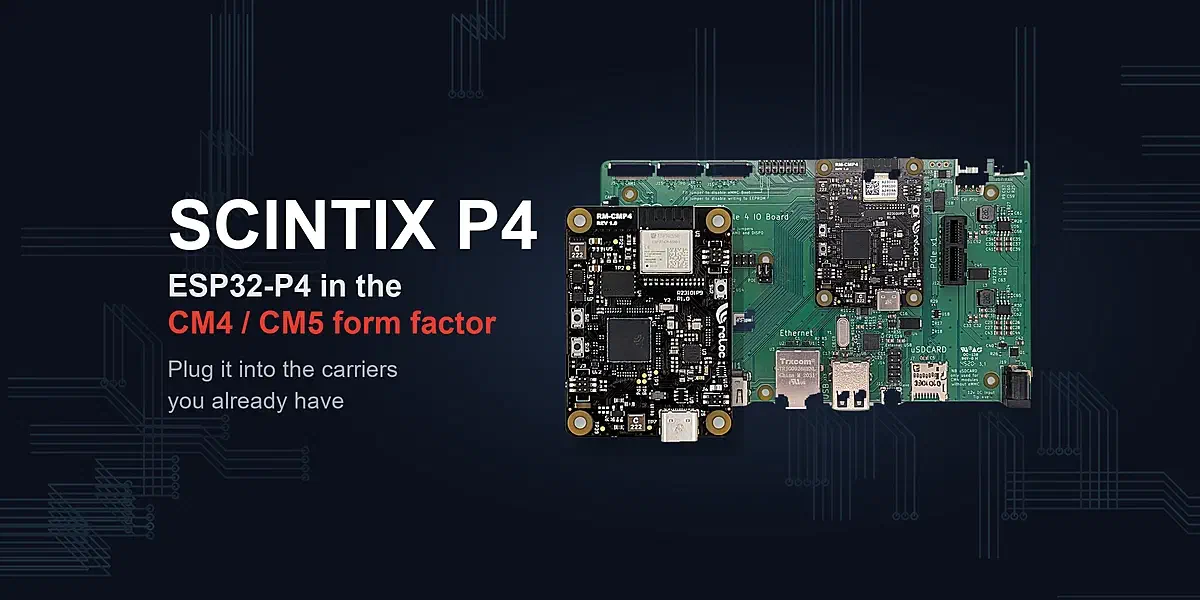

SCINTIX P4, developed by RELOC, reduces the hardware design effort required to build an ESP32-P4-based product. The ESP32-P4 is a crossover MCU that combines a 10/100 Ethernet MAC, high-speed USB, MIPI display and camera interfaces, flexible I/O and hardware multimedia acceleration. SCINTIX P4 packages it with memory, power regulation and an Ethernet PHY, and adds an ESP32-C6 for Wi-Fi, Bluetooth and IEEE 802.15.4. Together, these elements make the module a flexible, reusable hardware building block for product development.
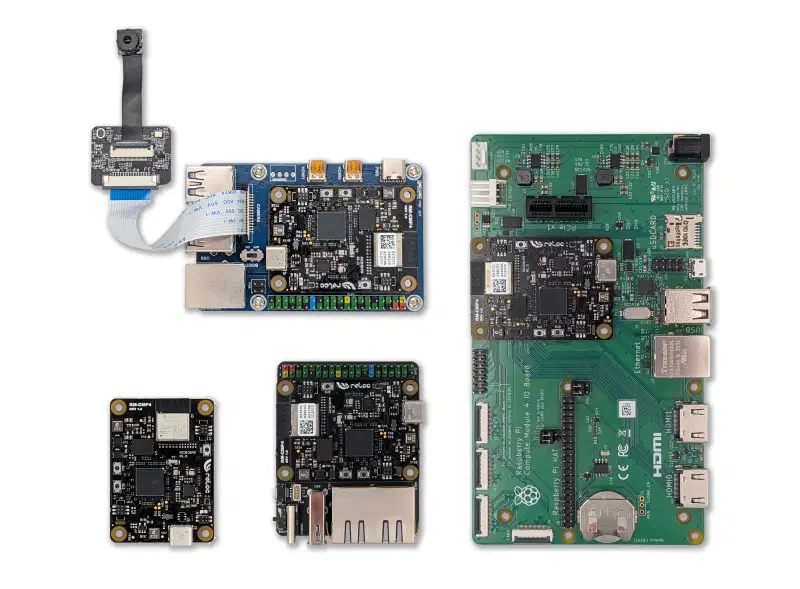
We chose the Raspberry Pi CM4/CM5 form factor because the P4 supports many of the peripheral interfaces used by application processors (MPUs). That choice makes SCINTIX P4, to our knowledge, the first MCU-based compute module in this form factor, allowing developers to reuse existing carrier hardware.
You can develop and test your product on an off-the-shelf carrier and use it in production if it fits your requirements. For a specific form factor or I/O layout, you can design a custom carrier around the same module, saving development time by avoiding the more complex work of integrating the MCU, memory and power supplies from scratch.
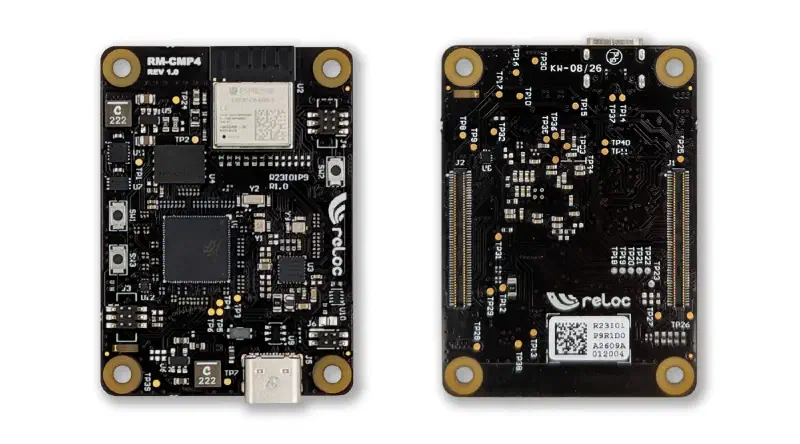
What’s on board#
- MCU: ESP32-P4NRW32X, with two 400 MHz RISC-V cores, AI instruction extensions and a single-precision FPU, plus a low-power core for always-on tasks
- Graphics and video: 2D Pixel Processing Accelerator (PPA), H.264 and JPEG codecs
- Memory: 32 MB PSRAM and 32 MB NOR flash
- Wireless hardware: ESP32-C6 with 2.4 GHz Wi-Fi 6, Bluetooth 5 and IEEE 802.15.4, linked to the P4 over 4-bit SDIO and UART
- Ethernet: on-board 10/100 PHY (Microchip KSZ8091RNACA)
- Display and camera: 2-lane MIPI-DSI and 2-lane MIPI-CSI, routed to the CM4/CM5 connectors
- USB: USB-C for power and programming, plus USB 2.0 OTG for the carrier’s host ports
- Expansion: 23 ESP32-P4 GPIOs on the carrier’s 40-pin header; see Pinout for shared signals
- Form factor: CM4/CM5 footprint, 55 × 40 mm, two Hirose DF40C-100DP board-to-board connectors
- Weight and operating temperature: 8.2 g; -20 to 70 °C
Supported carrier boards#
The following tables compare support across several widely used carrier boards, including the official Raspberry Pi IO Boards and models from Waveshare. Naturally, features built around interfaces typical of MPU systems, such as HDMI and PCIe, do not carry over to this MCU-based setup.
Legend for the tables below:
- ✅ tested on hardware
- (✓) checked against the schematic only
- * requires a change or has a limitation
- ❌ unsupported
- — absent from the carrier
Power and connectivity#
| Carrier | Power | USB device | USB host | Ethernet | microSD |
|---|---|---|---|---|---|
| Raspberry Pi CM4 IO Board | ✅ | ✅ | ✅ | ✅ | ✅ |
| Raspberry Pi CM5 IO Board | ✅ | ✅ | ✅* | ✅ | ✅ |
| CM4 to Pi 4B Adapter | ✅ | ✅ | ❌ | ✅ | ✅ |
| CM4-DUAL-ETH-MINI | ✅ | ✅ | ✅ | ✅* | ✅ |
| CM4-NANO-B | (✓) | (✓) | (✓) | (✓) | (✓) |
| CM4-NANO-C | ✅ | ✅ | ✅ | — | ✅ |
| CM5-NANO-A | (✓) | (✓) | (✓)* | — | (✓) |
| CM5-NANO-B | (✓) | (✓) | (✓)* | (✓) | (✓) |
| CM5-IO-BASE-A | (✓) | (✓) | (✓)* | (✓) | (✓) |
| CM5-IO-BASE-B | (✓) | (✓) | (✓)* | (✓) | (✓) |
| CM5 PoE BASE A | (✓) | (✓) | (✓)* | (✓) | (✓) |
Display, camera and expansion#
| Carrier | Display | Camera | 40-pin GPIO |
|---|---|---|---|
| Raspberry Pi CM4 IO Board | ✅ | (✓) | ✅ |
| Raspberry Pi CM5 IO Board | ✅ | (✓) | ✅ |
| CM4 to Pi 4B Adapter | ✅ | ✅ | ✅ |
| CM4-DUAL-ETH-MINI | — | — | ✅ |
| CM4-NANO-B | (✓) | ❌ | (✓) |
| CM4-NANO-C | ✅ | ❌ | ✅ |
| CM5-NANO-A | (✓) | (✓) | (✓)* |
| CM5-NANO-B | (✓) | (✓) | (✓) |
| CM5-IO-BASE-A | (✓) | (✓) | (✓) |
| CM5-IO-BASE-B | (✓)* | (✓)* | (✓) |
| CM5 PoE BASE A | (✓) | (✓) | (✓) |
Peripheral tests used the Raspberry Pi Touch Display 2 and ESP32-P4 HMI SubBoard V1.2 displays, and the AS-AG638A32 camera (2 MP SC2336, from the ESP32-P4-Function-EV-Board kit).
The carrier guide explains entries marked with an asterisk, including jumper settings and component changes. Pinout covers the 40-pin GPIO mapping and shared signals.
Getting started#
The steps below first bring up the module with Hello World, then test Ethernet as a second example. Install ESP-IDF v6.0.1 using the setup guide and open an ESP-IDF terminal. Both examples were tested with this ESP-IDF version.
First flash over USB-C#
Use Hello World to check your ESP-IDF setup and USB console. The module runs standalone over USB-C: connect it to your computer with a data cable and leave J6 pins 3–4 open (the default).
git clone https://github.com/relocsrl/scintix-p4.git
cd scintix-p4/examples/rm-cmp4_hello
idf.py set-target esp32p4
idf.py menuconfig
Under Component config → ESP System Settings → Channel for console output, select USB Serial/JTAG. Save and exit.
Build, flash and open the monitor:
idf.py -p PORT flash monitorReplace PORT with the module’s serial port, such as COM5 on Windows. The console prints Hello world!, chip information and a countdown before rebooting. Exit the monitor with Ctrl+].
Try Ethernet on a carrier#
Use the Ethernet iperf example to measure throughput on a Raspberry Pi CM4 IO Board. With power disconnected, mount the module on the carrier. Power the carrier through its normal input and connect its RJ45 jack to a network with DHCP. Reconnect the module’s USB-C port for flashing and the console, leaving J6 open as in the first step.
From the Hello World directory, build and flash:
cd ../rm-cmp4_eth_iperf
idf.py set-target esp32p4
idf.py -p PORT flash monitor
Once the module has an IP address, the console shows an iperf> prompt. On a PC on the same network, start an iperf 2.x UDP server:
iperf -u -s -i 3At the module’s prompt, run a 30-second UDP test:
iperf -u -c PC_IP -i 3 -t 30Replace PC_IP with the PC’s address. The example README reports about 73 Mbit/s uplink and 79 Mbit/s downlink on this setup and includes commands for both directions.
To test Wi-Fi or attach USB devices, use the Wi-Fi throughput and USB host examples. The Wi-Fi example uses ESP-Hosted with the ESP32-C6.
Application examples#
For a UI or a connected agent, the following demos provide firmware and setup guides:
- ESP-Brookesia phone: a smartphone-style UI with display, camera and on-device AI.
- AI agent: ESP-Claw firmware with a display UI and Wi-Fi through the ESP32-C6.
Pinout#
40-pin expansion header#
Use the ESP32-P4 GPIO numbers in the table to configure I²C, SPI, UART or PWM through the GPIO matrix. The original header functions are included for reference when connecting HATs.
The table follows the layout of the 2×20 header on the carrier: each row is a pair of adjacent pins, with odd positions in the left half and even positions in the right half.
| Raspberry Pi function | ESP32-P4 | Pin | Pin | ESP32-P4 | Raspberry Pi function | |
|---|---|---|---|---|---|---|
| 3V3 | — | 1 | 2 | — | 5V | |
| GPIO2 / I²C SDA | not connected | 3 | 4 | — | 5V | |
| GPIO3 / I²C SCL | not connected | 5 | 6 | — | GND | |
| GPIO4 | GPIO53 | 7 | 8 | GPIO32 | GPIO14 / UART TX | |
| GND | — | 9 | 10 | GPIO33 | GPIO15 / UART RX | |
| GPIO17 | GPIO2 | 11 | 12 | GPIO23 | GPIO18 / PWM0 | |
| GPIO27 | GPIO3 | 13 | 14 | — | GND | |
| GPIO22 | GPIO4 | 15 | 16 | GPIO22 | GPIO23 | |
| 3V3 | — | 17 | 18 | GPIO54 c | GPIO24 | |
| GPIO10 / SPI MOSI | GPIO5 | 19 | 20 | — | GND | |
| GPIO9 / SPI MISO | GPIO6 c | 21 | 22 | GPIO21 | GPIO25 | |
| GPIO11 / SPI SCLK | GPIO7 b | 23 | 24 | GPIO20 | GPIO8 / SPI CE0 | |
| GND | — | 25 | 26 | GPIO13 a | GPIO7 / SPI CE1 | |
| GPIO0 / ID_SD | GPIO12 a | 27 | 28 | GPIO13 a | GPIO1 / ID_SC | |
| GPIO5 | GPIO8 b | 29 | 30 | — | GND | |
| GPIO6 | GPIO48 d | 31 | 32 | GPIO12 a | GPIO12 / PWM0 | |
| GPIO13 / PWM1 | GPIO47 d | 33 | 34 | — | GND | |
| GPIO19 | GPIO9 | 35 | 36 | GPIO36 e | GPIO16 | |
| GPIO26 | GPIO46 a | 37 | 38 | GPIO11 | GPIO20 | |
| GND | — | 39 | 40 | GPIO46 a | GPIO21 |
Shared signals and constraints:
- a Tied pairs: positions 27 and 32 share GPIO12; 26 and 28 share GPIO13; 37 and 40 share GPIO46. Each header position connects through a separate 0 Ω resistor on the module, which can be removed to isolate that position.
- b Carrier I²C: the camera/display I²C bus also uses GPIO7 (SDA0, header position 23) and GPIO8 (SCL0, position 29), with 10 kΩ pull-ups on the module. Header positions 3 and 5 are not connected.
- c ESP32-C6 control: reserve GPIO54 (position 18) for C6 power-up and GPIO6 (21) for wake-up when using wireless connectivity.
- d Fan: the carrier’s fan uses GPIO48 (position 31) for the tachometer and GPIO47 (33) for PWM. Removing the corresponding 0 Ω links frees these GPIOs.
- e Strapping pin: to enter download mode, GPIO36 (position 36) must be high at reset. A peripheral pulling it low can prevent flashing. This strap does not affect normal boot.
Carrier connections#
The CM4/CM5 connectors carry the following signals:
- Ethernet: the on-board 10/100 PHY’s two differential pairs and link LED, routed to the carrier’s RJ45 jack
- microSD: SDIO slot 1, with clock, command, four data lines and power enable
- USB: high-speed USB 2.0 OTG on the carrier’s main USB 2.0 port; full-speed OTG on the USB 2.0 lines of the CM5’s first USB 3.0 port
- MIPI-DSI and MIPI-CSI: two data lanes plus clock each, on the DSI1 and CSI1 positions
- Power: 5 V input from the carrier and a shared 3.3 V rail; no 1.8 V output
- Boot: CM pin 92 (CM5 power button / CM4 RUN) connects to the ESP32-P4 boot pin, GPIO35
Programming connections#
UART0 console builds use the 6-pin programming header beside the ESP32-P4, where an ESP-Prog-2 can be connected. The carrier guide explains how to route USB Serial/JTAG to the carrier’s USB port with J6.
Availability and resources#
SCINTIX P4 is in pre-launch on Crowd Supply. For board samples, contact info@reloc.it.
- SCINTIX P4 on GitHub: documentation, ESP32-P4 firmware examples and ESP32-C6 wireless firmware
- DOOM played by Claude Sonnet and Jev: the game runs on SCINTIX P4, controlled over the network by external AI models. Includes a Sonnet demo video and setup instructions for both agents.
- SCINTIX P4 on Hackaday.io: project page and development log
- ESP32-P4 documentation: ESP-IDF getting started guide for the chip