


AI can turn a prompt into embedded code. Getting that code to work on a specific board is harder. Pins, peripherals, memory limits, connectivity stacks and physical behavior all matter. Even firmware that compiles cleanly may not do what its creator intended.
We are excited to introduce ESP ZeroCode AI, built to close that gap. It does not stop at code: it works out what the device should do, writes the firmware for your board, has it reviewed and tested, and then helps you check it on the real hardware. Everything happens in the browser.
Here is the whole journey in five steps. The tour below is interactive: click Next and Back, or the dots, to step through it.
Describe your device in plain words: what it senses, what it does, what it works with.
The Product Expert asks a few quick questions, then gets to work.
Experts working together#
ESP ZeroCode AI is not only about writing code. Its aim is a better product at the end.
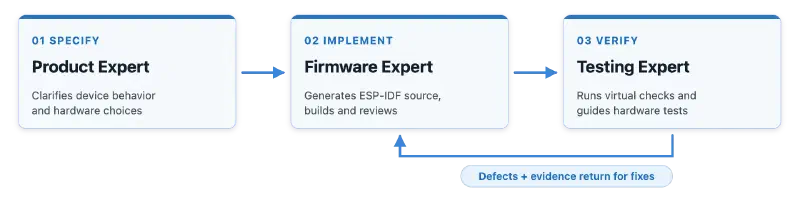
The Product Expert asks clarifying questions and captures the intended behavior, hardware and wiring. Early users have told us this conversation is one of the most enlightening parts of the experience: it brings up decisions about their product that they had not thought of yet.
The Firmware Expert writes the ESP-IDF source, compiles it for the target and has the code reviewed.
The Testing Expert checks the behavior on an emulator and guides testing on real hardware. When a test uncovers a problem, the findings go back to the Firmware Expert to fix.
Grounded in the ESP32 ecosystem#
ESP ZeroCode AI works with real chip and board definitions, rather than generic pin assumptions. At launch, its catalog spans eight Espressif SoCs, over 130 development boards and more than 400 parts, with boards from Espressif, M5Stack, Seeed Studio, Adafruit and more. The Product Expert uses the selected board’s pin map when it writes the spec and wiring for the device.
Firmware can combine capabilities across connectivity, interaction and AI, depending on the chip and hardware:
- Connectivity: Wi-Fi, Bluetooth LE, Matter over Wi-Fi or Thread, Zigbee, BLE Mesh, ESP-NOW, ESP RainMaker, MQTT and AWS IoT.
- Interaction: touchscreen displays, speakers and sound, a control page served by the device itself, and Bluetooth media remotes.
- AI: voice commands, trained models that classify sensor data on the device, plain-language commands understood offline, camera motion detection, and cloud AI agents.
An open library of reusable drivers, device types, behaviors and framework integrations supports firmware creation and lets contributors extend the catalog.
Build and try, right in your browser#
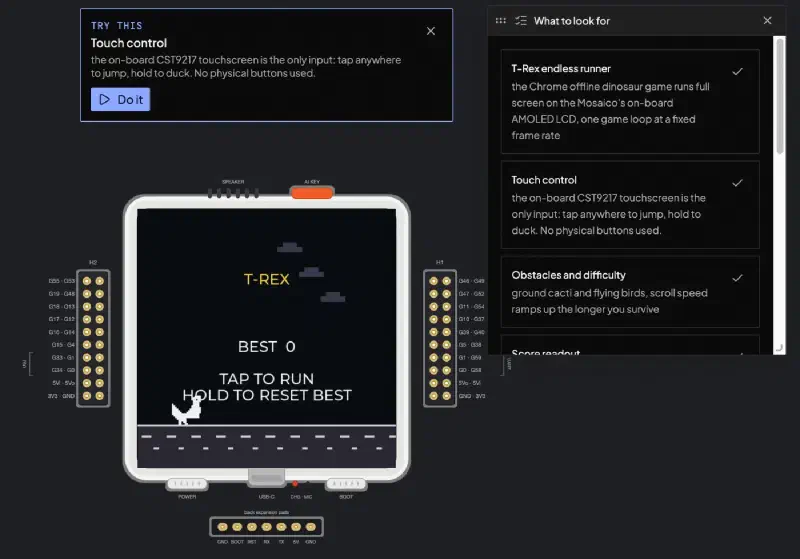
Writing and building the firmware happen in the browser, and so does trying it. Before you have any hardware, you can run the firmware on a virtual device that is wired like your diagram. It boots the same image you would flash, and you can press its buttons and touch its screen.
Human in the loop: the agent tests on your hardware#
An emulator cannot tell you that a relay clicks, or that a 180 ms double-press is too quick for a thumb. Your board can, so the last test loop runs on it, and you do the checks that only a person can.
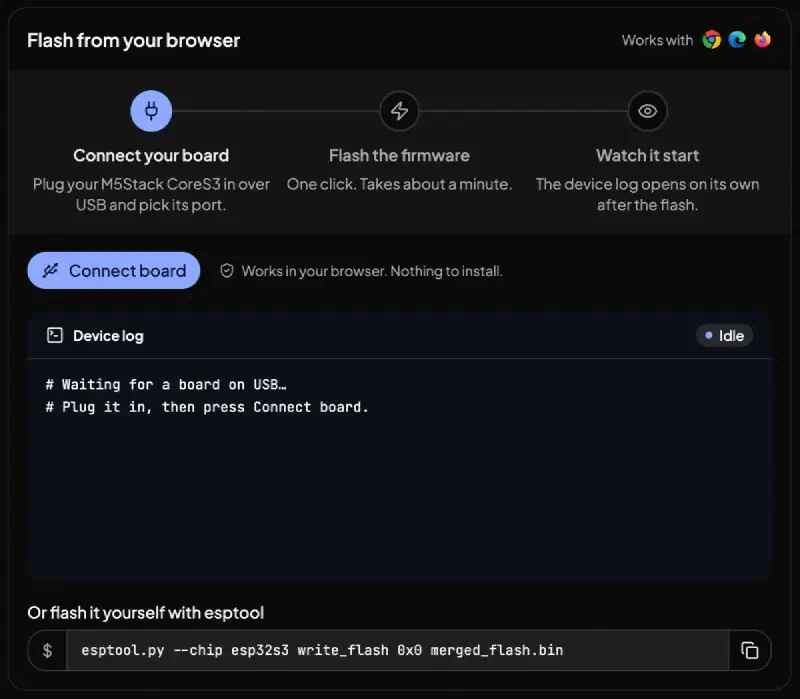
Plug your board in over USB and flash it from the browser, with nothing to install. The Testing Expert then gives you a checklist, watches the device log for the events that matter and flags crashes. You confirm what you see and hear, and anything that fails goes back to the Firmware Expert with the evidence.
Your project, yours to share#
The output is a complete, editable ESP-IDF project with source, configuration and a flashable binary. Makers can continue in the browser; experienced developers can download the project into their usual ESP-IDF tools, add custom components and perform the additional validation needed for a commercial product.
Your projects are yours. They stay private unless you choose to publish them, and you can download the full source at any time. When you publish to the Community, you share either the firmware alone or the full source as well, and others can try it in their browser, flash it to their own board or fork it into a project of their own. Published code and binaries are shared under the Apache-2.0 license, and photos and descriptions under CC BY 4.0.
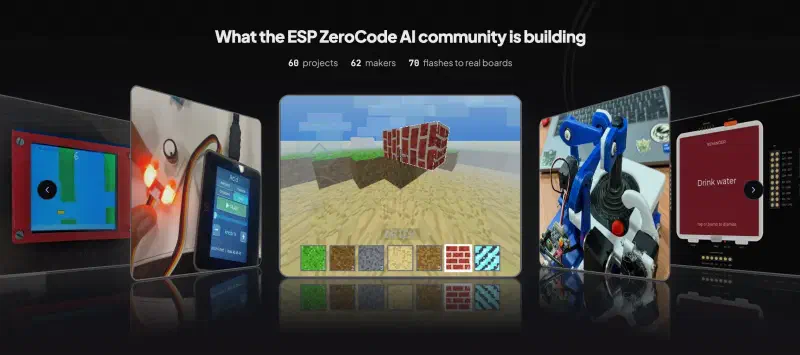
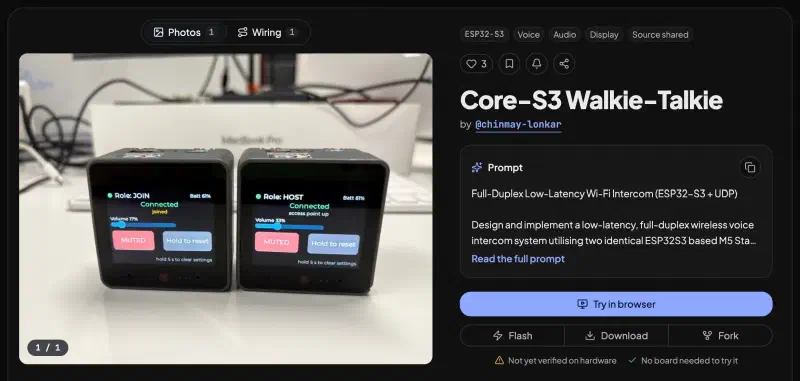
The Community has already built a Minecraft-style game on the ESP32-S31, a T-Rex runner, a music synthesizer, a USB security key and a robot that plays Atari with a real joystick.
Try it#
ESP ZeroCode AI is live at esp-zerocode.ai. Describe a device, watch it get built and tested, run it in your browser, and when you are ready, plug in a board.
We would love to see what you make, and to hear where we can improve the experience. Please reach out to zerocode@espressif.com for any issues and feedback.